Made for your desktop

More ways to make.

Write, listen, build, browse and stay private. Native ports and reworked Haiku tools bring more of your day onto the desktop. Choose a category to see its apps.

The Craft office suite

Early native ports

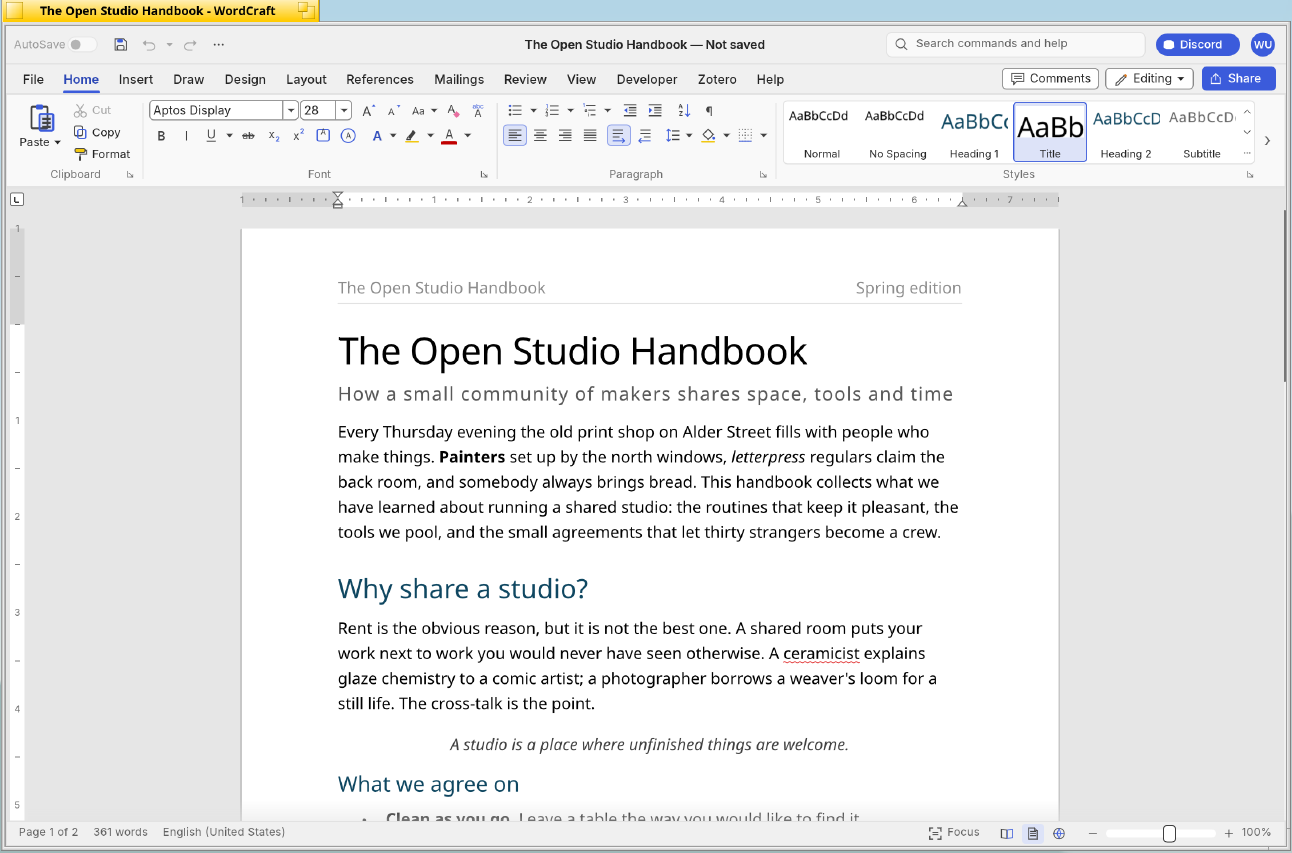
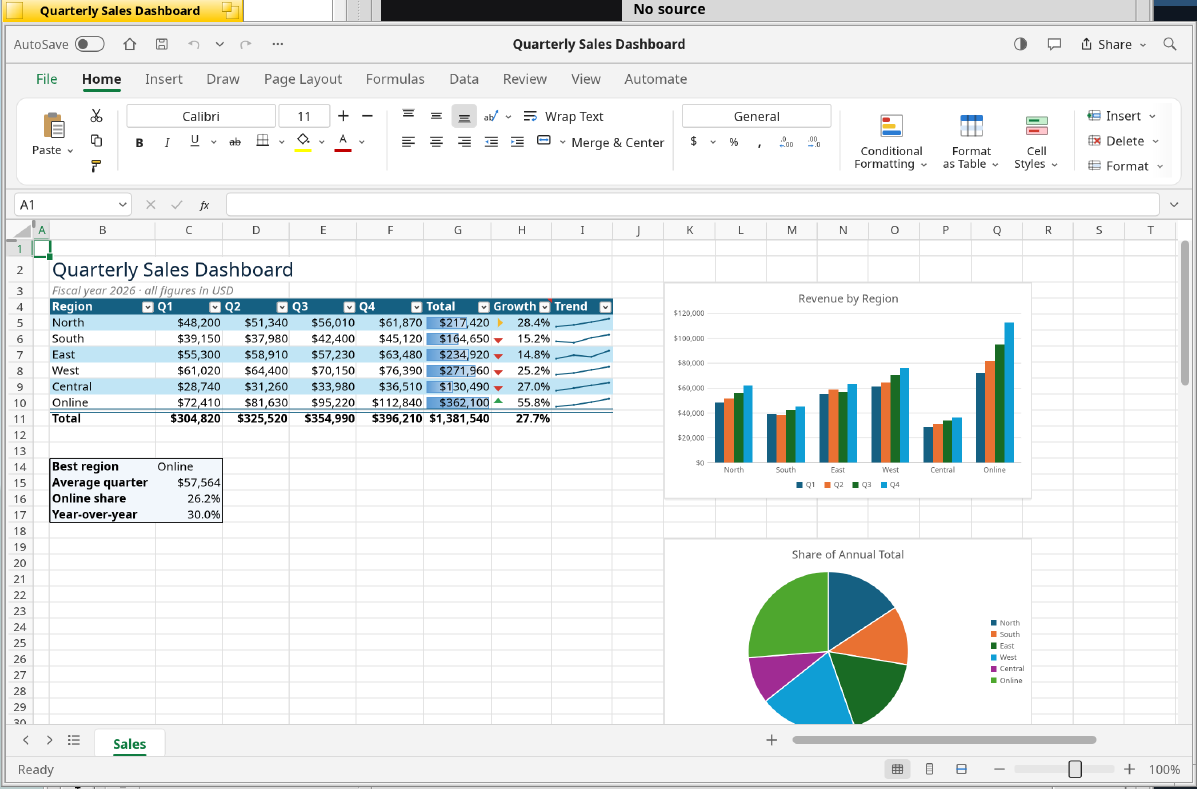
WordCraft, GridCraft, PDFCraft and DeckCraft bring the open-source Craft applications to airOS. Their Rust editors run inside native Haiku windows, with system file panels, clipboard support and display scaling.

WordCraft

A word processor for longer documents, everyday writing and page layout. The Haiku port keeps the Rust editor and adds native desktop integration.

  • DOCX documents, styled text, tables, page layout and PDF export
  • Review tools and document recovery
  • Native Open/Save panels, clipboard and sharp text on scaled displays
WordCraft: The sample Open Studio Handbook in WordCraft, captured from the current native port on the Framework laptop.
WordCraft · 2026-10-18 · Capture details →

PDFCraft

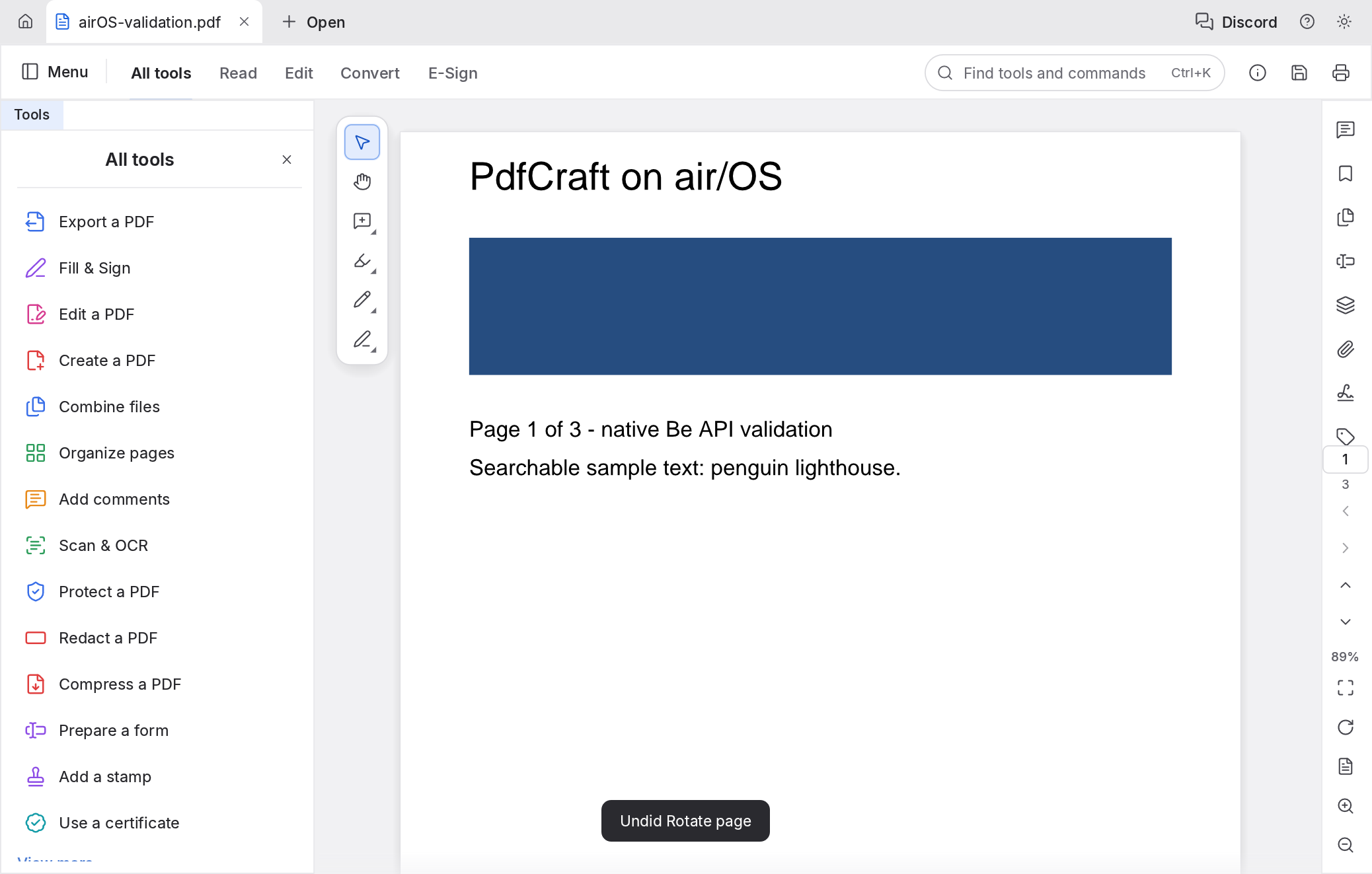
Read and work on PDFs in a native window, with the same Rust document engine used on the other platforms.

  • Search and copy text, annotate, edit and organize pages
  • Fill forms, save changes and undo edits
  • Native file panels, document recovery and an included command-line tool
PDFCraft: Native Haiku port displaying the synthetic three-page PDF used in its validation.
PDFCraft · 2026-10-18 · Capture details →

DeckCraft

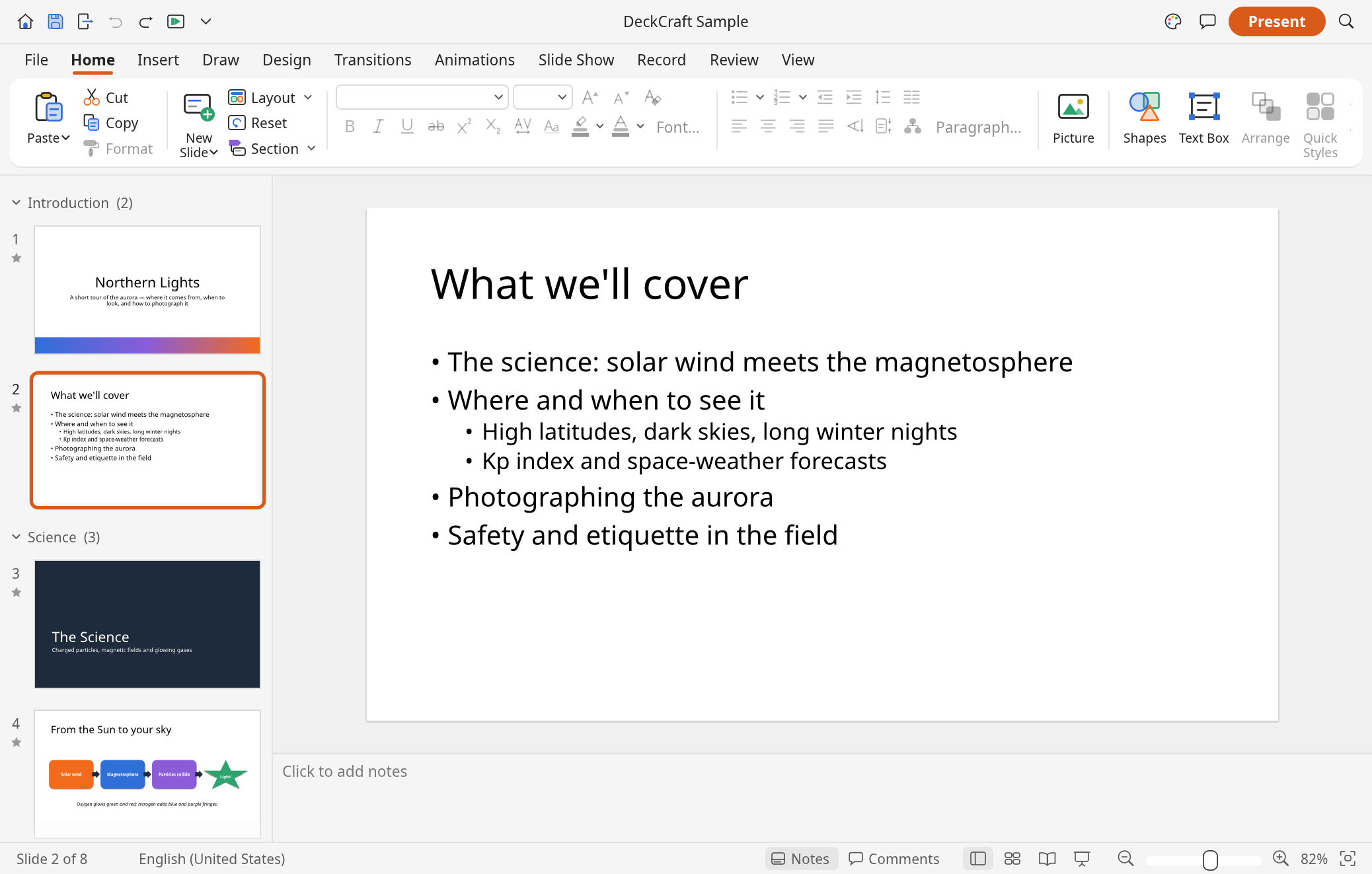
Build a presentation, add speaker notes and take it fullscreen on your Haiku desktop.

  • PPTX and DeckCraft documents, PDF and image export
  • Transitions, animations and a native fullscreen slide show
  • Media Kit audio, native file panels and recovery for unsaved work
DeckCraft: Native Haiku port showing the sample slide deck, thumbnails, ribbon and speaker notes.
DeckCraft · 2026-10-18 · Capture details →

A fresh look at media

Included in airOS system builds

Reworked Haiku media tools sit beside native players and a pair of Craft apps for photos: edit layered images in PhotoCraft and develop RAW files in LightCraft.

Media preferences

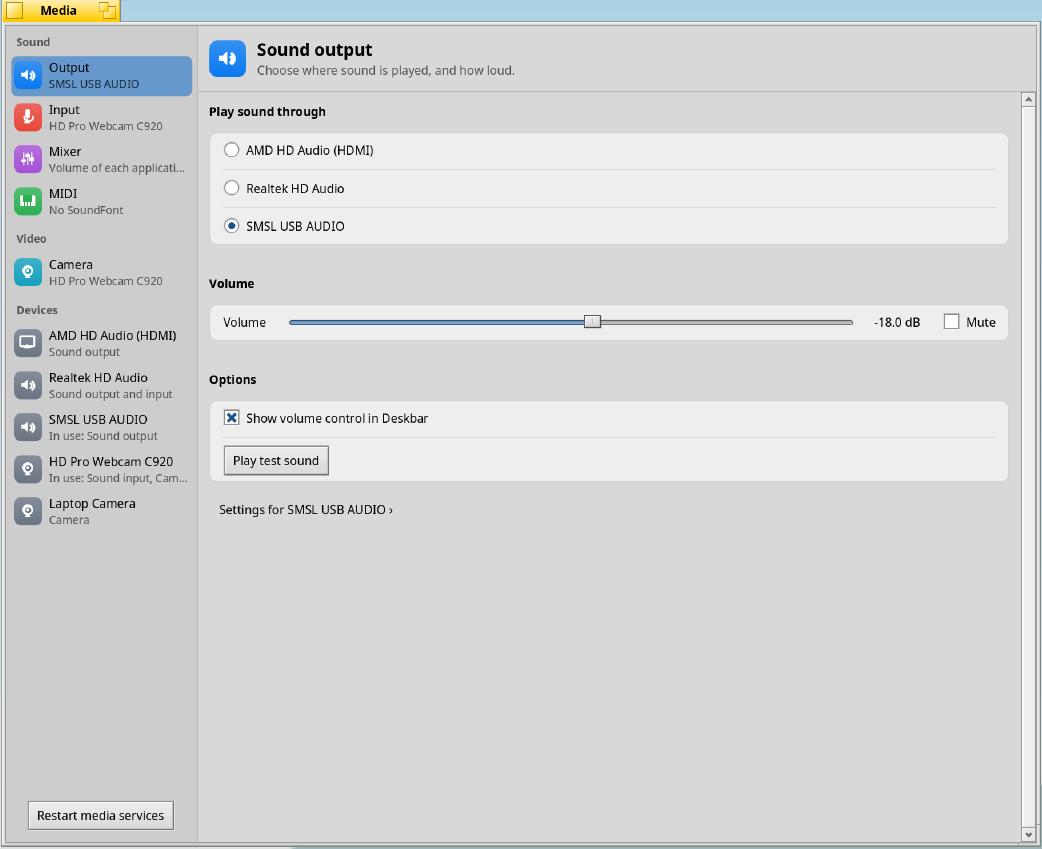
Audio and video settings have been rebuilt around a sidebar and readable cards, so devices and everyday controls are easier to find.

  • Choose input and output devices, adjust volume and play a test sound
  • Control individual applications in the audio mixer, with app icons and mute controls
  • Check a live recording level meter and camera preview
  • Choose a MIDI SoundFont and restart stopped media services
Media preferences: The new sound-output page, device sidebar, volume control and test-sound action on the Framework laptop.
Media preferences · 2026-10-18 · Capture details →

MediaConverter

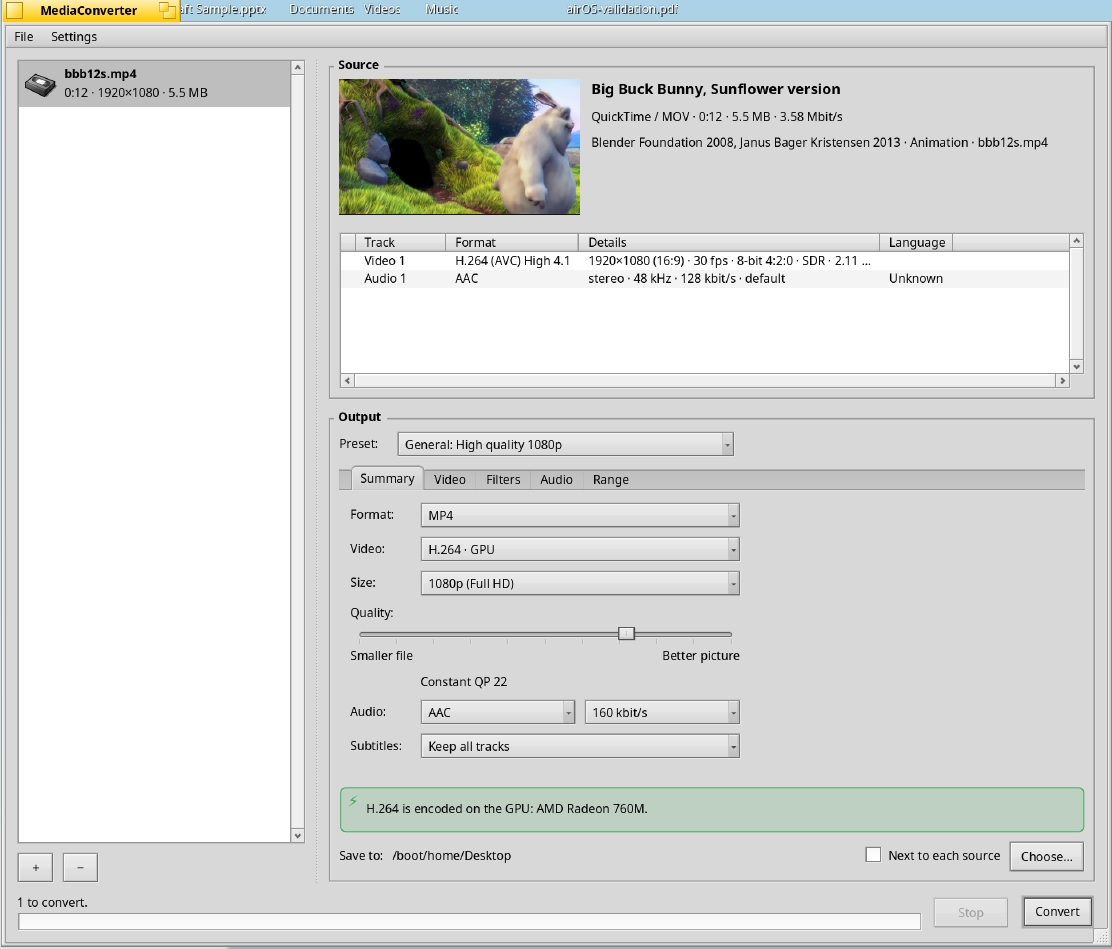
A new conversion window and engine bring queues, previews and hardware-aware encoding to Haiku’s media toolbox.

  • Queue video and audio files, preview sources and choose separate video or audio presets
  • Audio conversion keeps artwork, tags and chapters, with playback controls in the source preview
  • Use available GPU encoders, inspect video hardware and see when a job will use the CPU
  • Import DVD/Blu-ray sources and disc images, sidecar subtitles and embedded closed captions
  • Preserve HDR10 metadata where supported; conversions run in worker processes and retry on the CPU after a GPU crash
  • Use the mediaconvert command-line tool for scripted conversions
MediaConverter: A Big Buck Bunny clip in the new conversion queue, with a source preview and H.264 GPU encoding selected on the AMD Radeon 760M.
MediaConverter · 2026-10-18 · Capture details →

AirTime

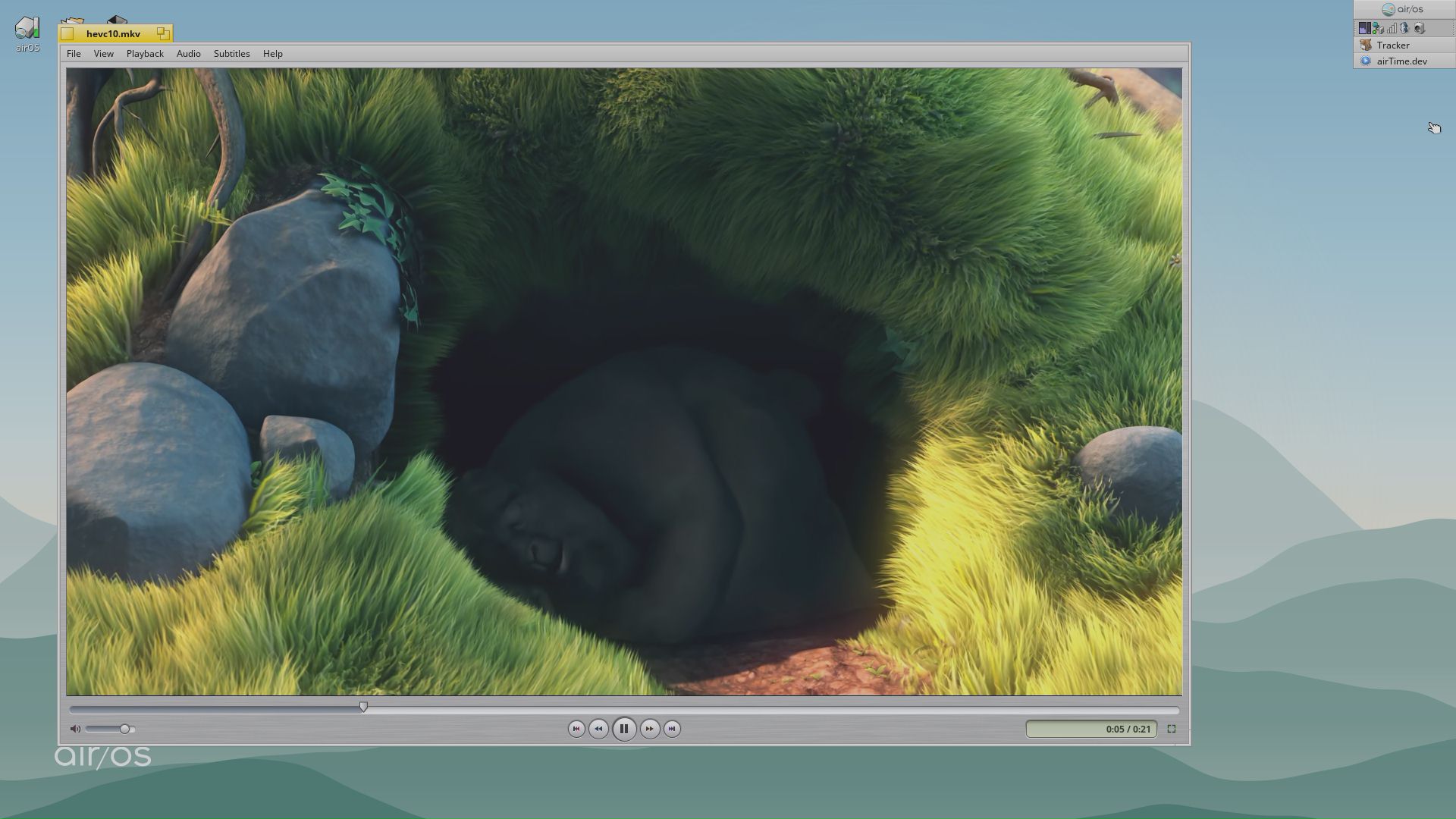
A movie player with a classic feel that plays anything FFmpeg reads, using the hardware video decoder where the machine has one.

  • Hardware decoding on AMD UVD, NVIDIA NVDEC, ROCK 5 MPP, Raspberry Pi 4 and Cubie A7S, with libavcodec as the fallback
  • The Movie Inspector shows which decoder is in use
  • HDR10 and HLG tone mapping, deinterlacing and sharp drawing on scaled displays
  • SRT, ASS, WebVTT, PGS, VobSub and DVB subtitles, CEA-608 captions and J/K/L scanning
AirTime: HEVC 10-bit playback on Raspberry Pi 4.
AirTime · Earlier development capture · Capture details →

Amp

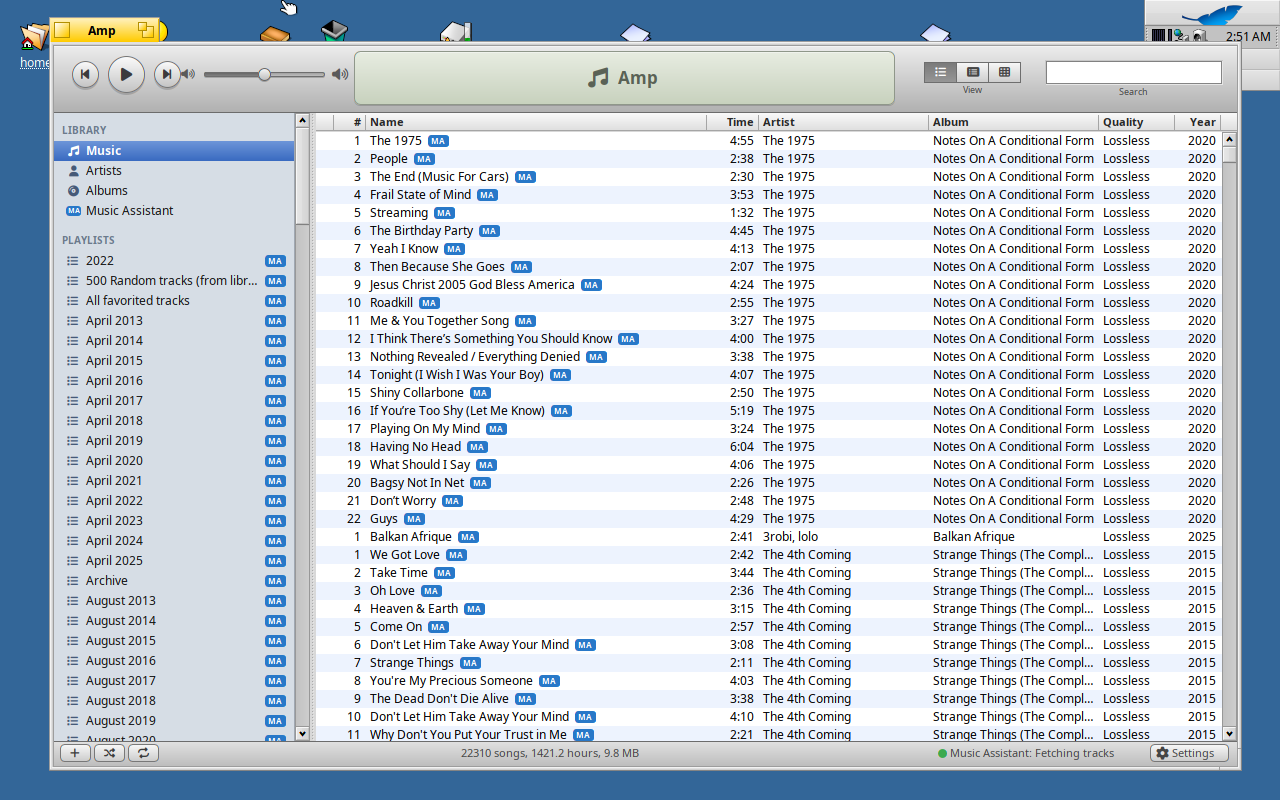
A familiar music player for your local library, with Music Assistant streaming and playlists that sync back to the server.

  • MP3, AAC, FLAC, WAV and OGG libraries in song, album, grid and artist views
  • Stream from Music Assistant over Sendspin
  • Artwork lookup and MiniDisc transfers on NetMD recorders
  • A Quick Look add-on previews songs from Tracker with the space bar
Amp: A familiar music library, with playlists and Music Assistant integration.
Amp · Earlier development capture · Capture details →

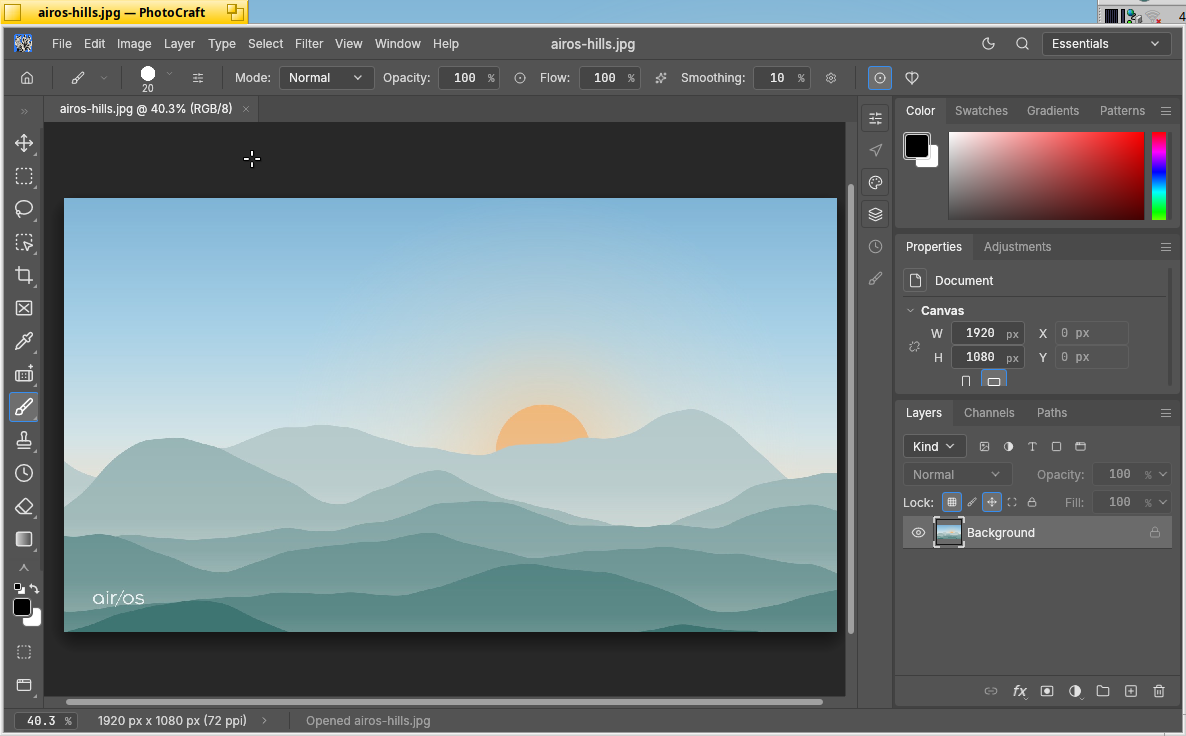
PhotoCraft

The Craft layered image editor as a native application, drawing its canvas and interface with Vulkan.

  • Layers, brushes, masks, adjustments, 8/16/32-bit documents, PSD files and document recovery
  • Falls back to the CPU automatically, including when the GPU is lost mid-session
  • Native file panels, Tracker, clipboard and display-density support
  • A 24 MP opacity change measured 8–9× faster on the GPU than on the CPU
PhotoCraft: The airOS hills artwork open in PhotoCraft, with its tools, colour, properties and layers panels.
PhotoCraft · 2026-10-23 · Capture details →

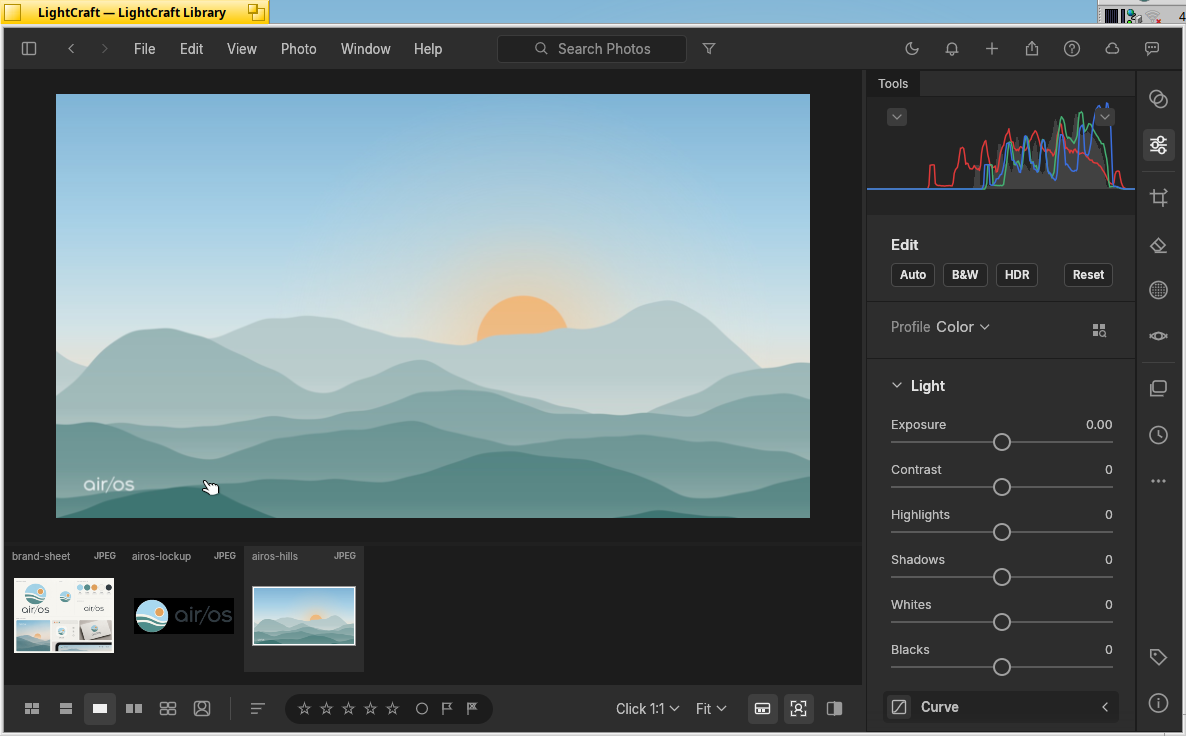
LightCraft

A photo library and RAW developer that hands photos to PhotoCraft for detailed editing.

  • Library, non-destructive developing, presets, masks and history
  • Vulkan compute for photo processing and a Vulkan-drawn interface, with CPU fallback
  • Cold previews in 65 ms instead of 455 ms on a Radeon 760M; 24 MP exports in 1.8 s instead of 4.5 s
  • AI models are not bundled and HEIF support is optional
LightCraft: LightCraft's develop view with a filmstrip of airOS artwork, the histogram and light controls.
LightCraft · 2026-10-23 · Capture details →

Tools for building things

Code, databases, Git and networks

VS Code (Code - OSS), pgAdmin 4 and GitHub Desktop run as native airOS windows on Aurora, which reimplements Electron on Node.js with Summit’s WebKit engine and Haiku’s own menus, dialogs, clipboard and file panels. Terminal gained a new rendering engine, and Burrow connects you to work networks.

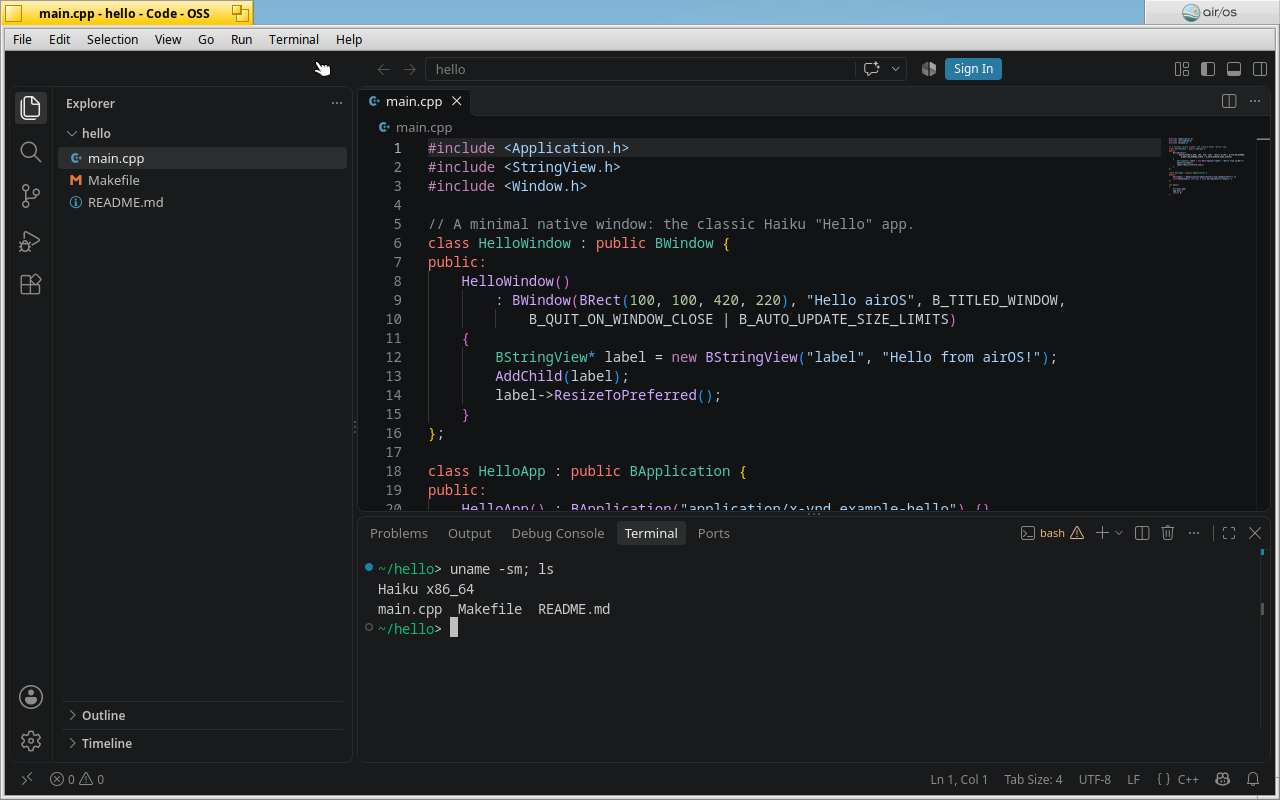
VS Code (Code - OSS)

Visual Studio Code’s open-source build, Code - OSS: Node.js runs the main process and Summit’s WebKit draws the windows.

  • Workbench, extension host, integrated terminal and file watching use the same code as the Linux build
  • Extensions come from Open VSX; Markdown previews and most extension webviews work
  • Native window tab and menu bar, ripgrep search and a code-oss command-line launcher
  • Extensions that ship Linux binaries, Copilot agent features and printing are unavailable
VS Code (Code - OSS): A small native Haiku C++ project in Code - OSS, with the explorer, C++ highlighting and the integrated terminal.
VS Code (Code - OSS) · 2026-10-23 · Capture details →

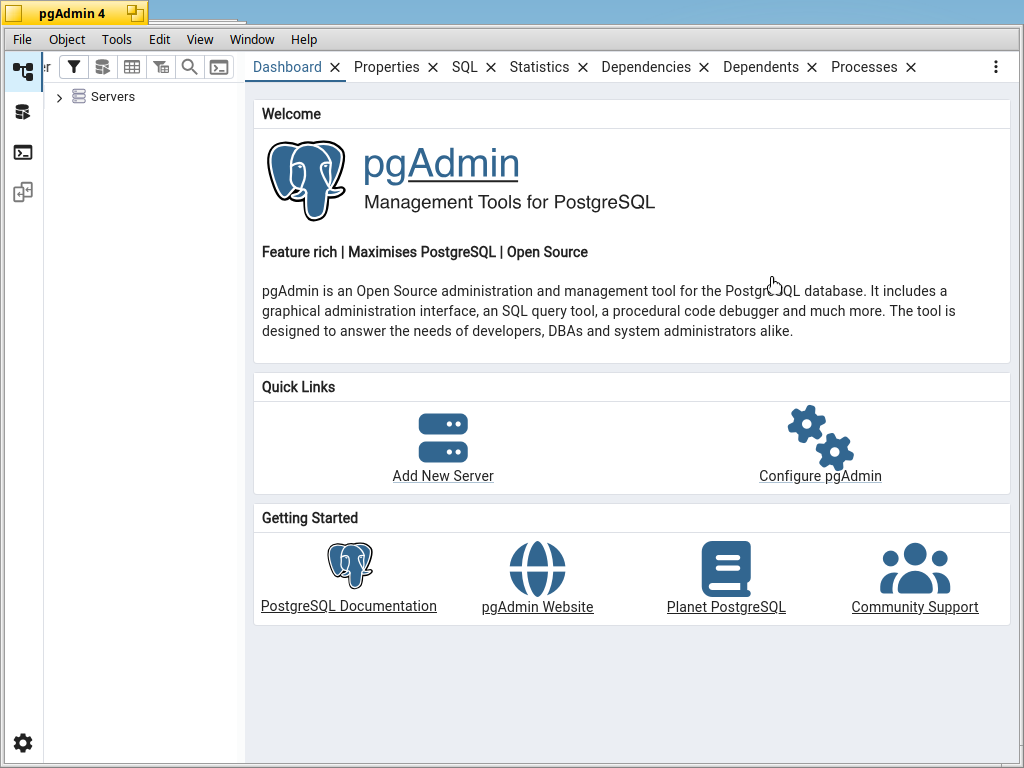
pgAdmin 4

pgAdmin 4 (version 9.18) in its desktop mode, with its Python server in a bundled environment.

  • Native menus, file panels, runtime settings window and quit confirmation
  • Query Tool tested against PostgreSQL
  • Uses the system’s psql, pg_dump, pg_dumpall and pg_restore (PostgreSQL 18)
  • Kerberos sign-in and MFA QR codes are left out
pgAdmin 4: pgAdmin 4 in its desktop mode on Aurora, with native menus and its dashboard.
pgAdmin 4 · 2026-10-23 · Capture details →

GitHub Desktop

An unofficial port of GitHub Desktop that works with Haiku’s own Git.

  • Uses the system git package and stores credentials in the Haiku key store
  • Browser sign-in returns to the app through its link handler
  • Opens Terminal, Tracker and native editors such as Pe, Koder and Genio
  • No usage statistics; updates come through pkgman. Git LFS is not supported
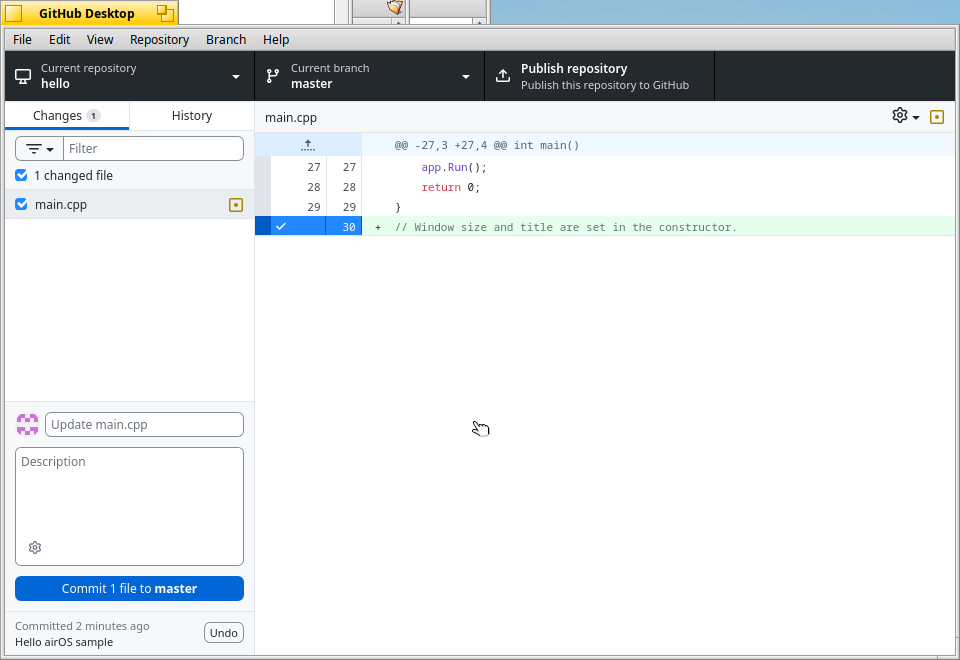
GitHub Desktop: A local repository in GitHub Desktop, with a one-line change ready to commit through the system Git.
GitHub Desktop · 2026-10-23 · Capture details →

Terminal

Haiku’s Terminal has a new emulator core and draws into one bitmap at the screen’s density, with an OpenGL renderer beside a multithreaded software renderer.

  • The GPU renderer (OpenGL 3.0) and the software renderer are timed against each other, and Terminal keeps whichever is faster
  • If the GPU is lost or a frame takes over two seconds, Terminal switches to software for good; force either one with the Renderer setting or TERMINAL_RENDERER
  • Up to 120 frames per second, a glyph atlas and Terminal-drawn box, braille and Powerline characters
  • Colour emoji, programming ligatures, Unicode 16 graphemes, reflow on resize and kitty protocol extensions
  • cat of a 5.7 MB file takes 0.14 s instead of 0.42 s; on the tested machines the software renderer is currently the faster path
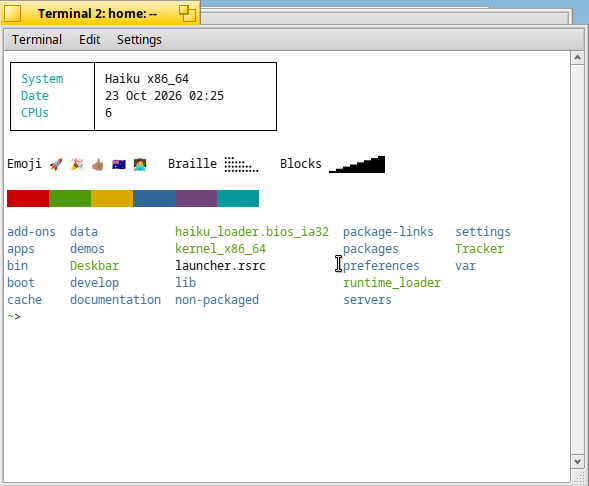
Terminal: The new Terminal drawing box characters itself, colour emoji with flags, skin tones and joined sequences, braille and blocks.
Terminal · 2026-10-23 · Capture details →

Burrow

A native client for AWS Client VPN and other OpenVPN servers, including AWS single sign-on through your web browser.

  • Import .ovpn profiles from a file panel, by drag and drop or from Tracker
  • SAML sign-in, certificates and username/password with challenges
  • Status, addresses, traffic, DNS and routes; split or full tunnel, several profiles at once
  • Deskbar tray menu and command-line control, with an OpenVPN built from source
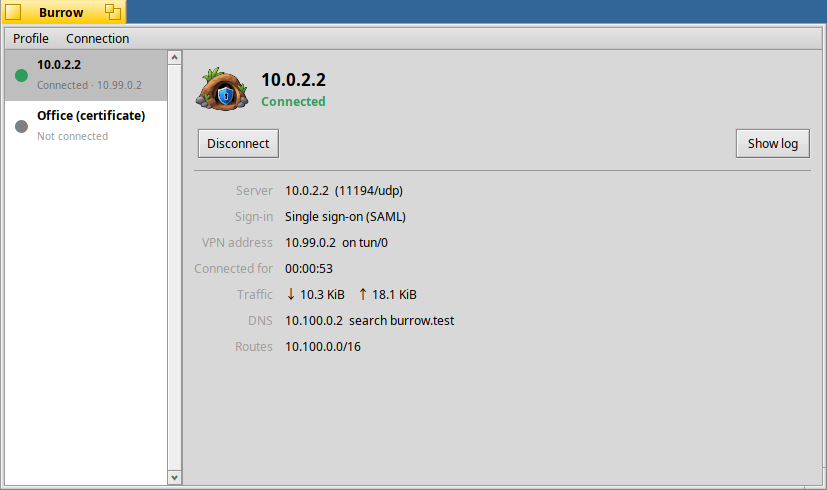
Burrow: A connected test VPN profile, with connection details, traffic and routes.
Burrow · Earlier development capture · Capture details →

Summit: the web, at home on Haiku

Native WebKit browser

Native controls, a compact toolbar and a modern multiprocess WebKit engine. Tabs, saved sessions, bookmarks, downloads, page find, configurable search and per-site zoom are joined by tools for reading, media, extensions and debugging.

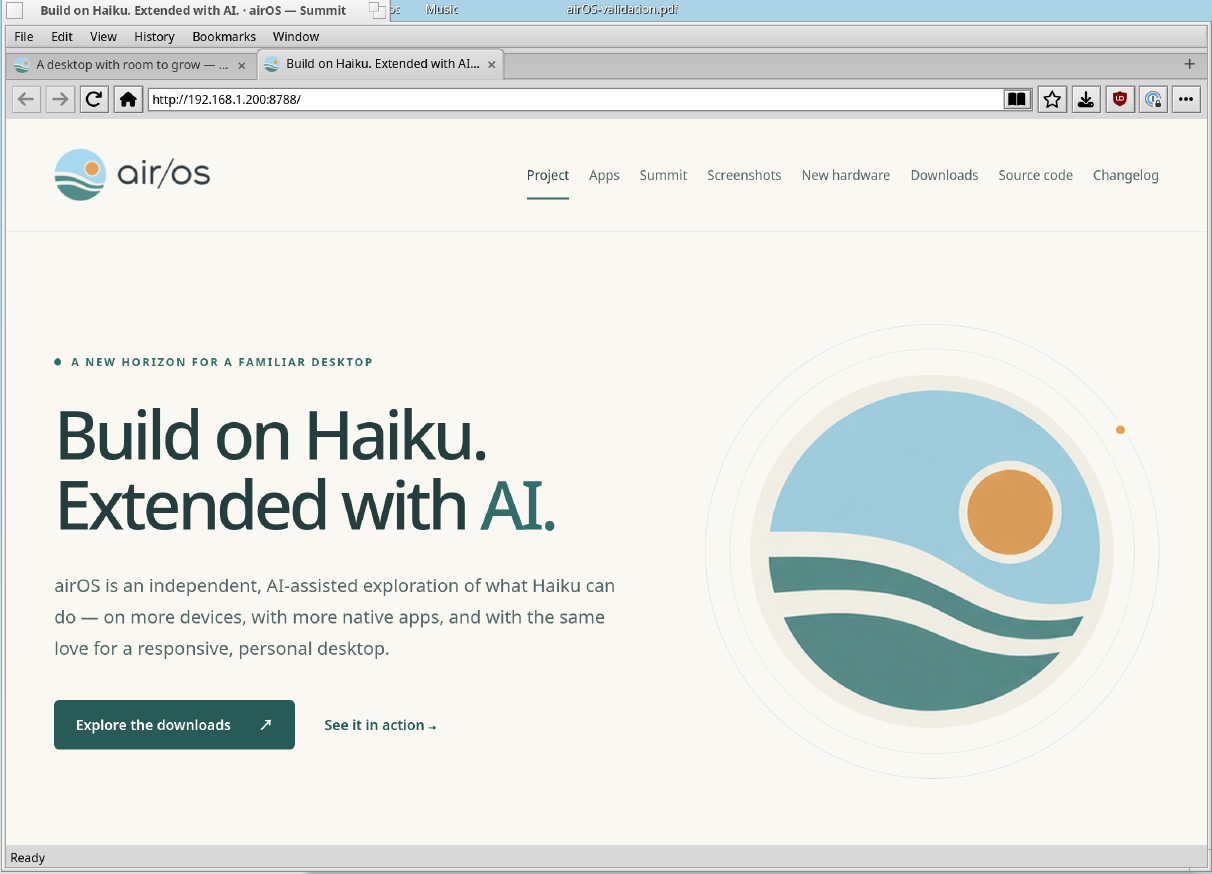
Summit · airos.works: The refreshed airOS website in the current Summit browser, captured from a local preview on the Framework laptop.
Summit · airos.works · 2026-10-18 · Capture details →

A better place to read

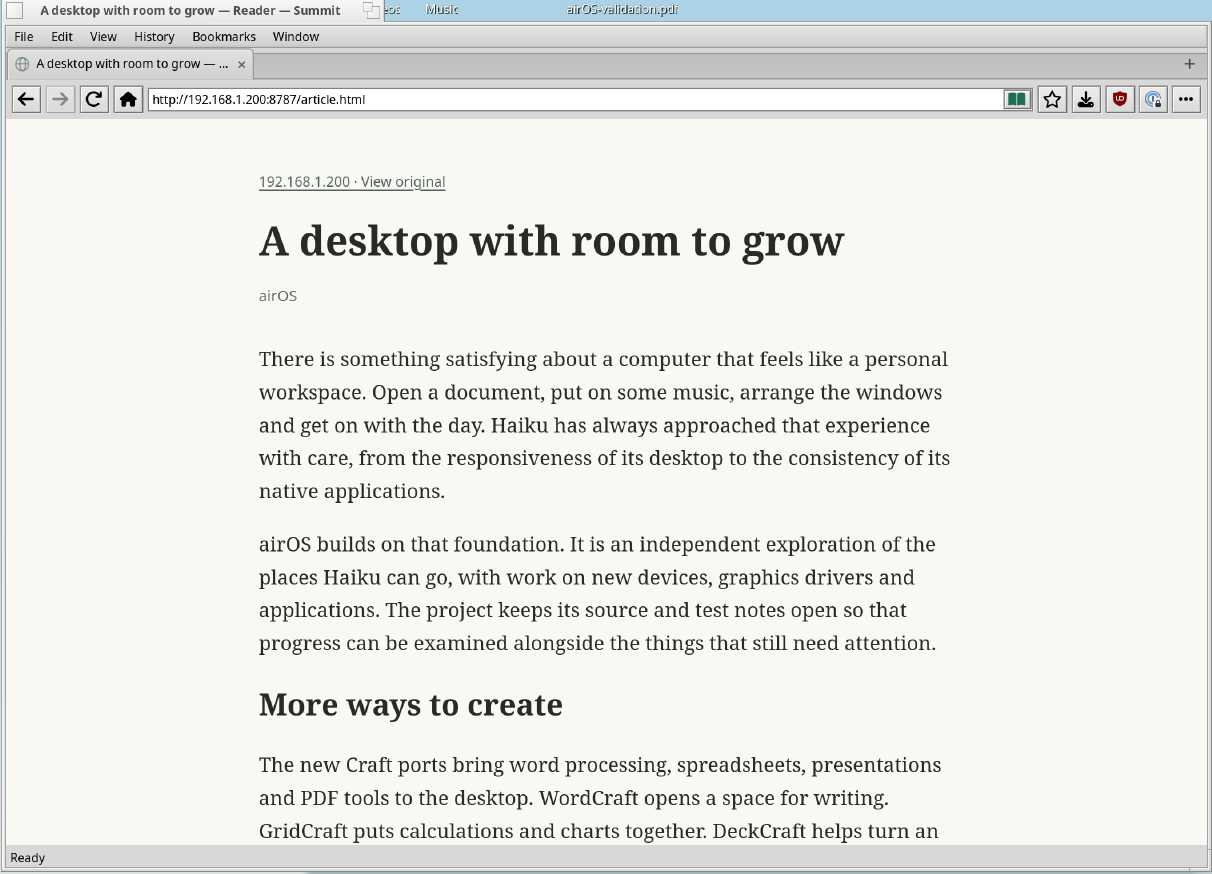
Reader mode clears away page furniture. A bundled PDF viewer keeps documents inside the browser.

  • Reader mode keeps the original article address in history
  • PDF navigation, search, zoom, password entry and original-file downloads
  • Native color, date and time pickers
Summit · reader mode: Reader mode displaying an original sample article in the current browser on the Framework laptop.
Summit · reader mode · 2026-10-18 · Capture details →

Bring your browser tools

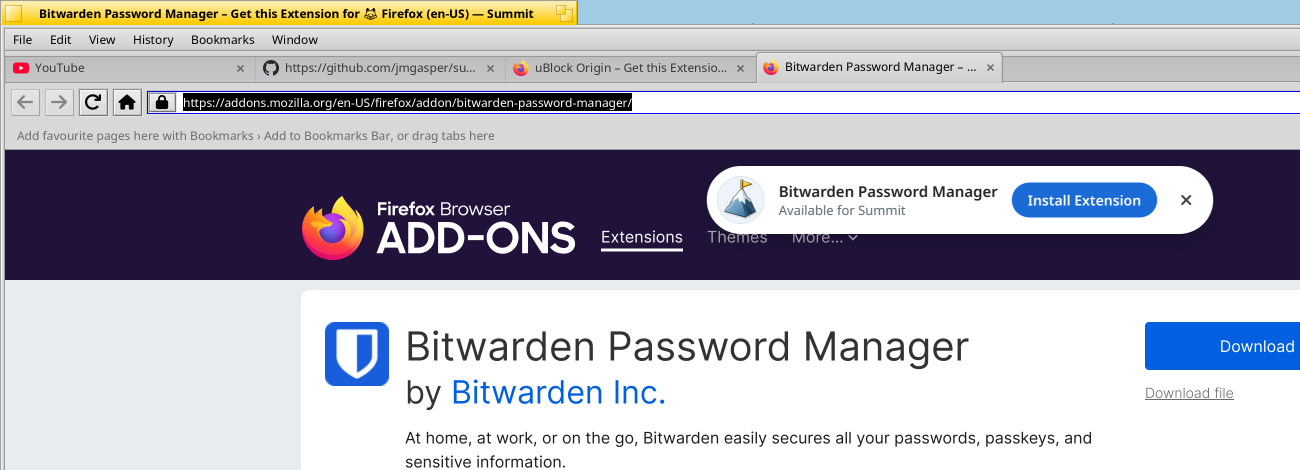
Open an add-on’s page on Firefox Add-ons or Chrome Web Store and Summit adds an install card to the top of the page. Review the requested access in a native dialog before anything runs, or load a local extension package.

  • Install Extension on the store page; once installed, the card offers Manage Extension
  • Firefox packages are checked against Mozilla’s published size and SHA-256 and update from the same store; signatures are not verified, so install only what you trust
  • Toolbar actions, popups and restoration across restarts
  • uBlock Origin and Dark Reader have passed native runtime suites; 1Password sign-in, inline filling and passkeys have been verified for tested versions
Summit · Firefox Add-ons: Summit’s install card at the top of an add-on’s page on Firefox Add-ons, with Install Extension beside the extension’s name.
Summit · Firefox Add-ons · 2026-10-23 · Capture details →

Video, streaming and graphics

Modern WebKit works with airOS GPU drivers and video decoders, using software paths when acceleration is unavailable.

  • WebGL 1/2 and accelerated page compositing on supported GPUs
  • MediaSource streaming and direct MPEG-DASH with seeking, adaptive quality and live refresh
  • Clear Key encrypted media with temporary sessions; Widevine, PlayReady and FairPlay are unsupported
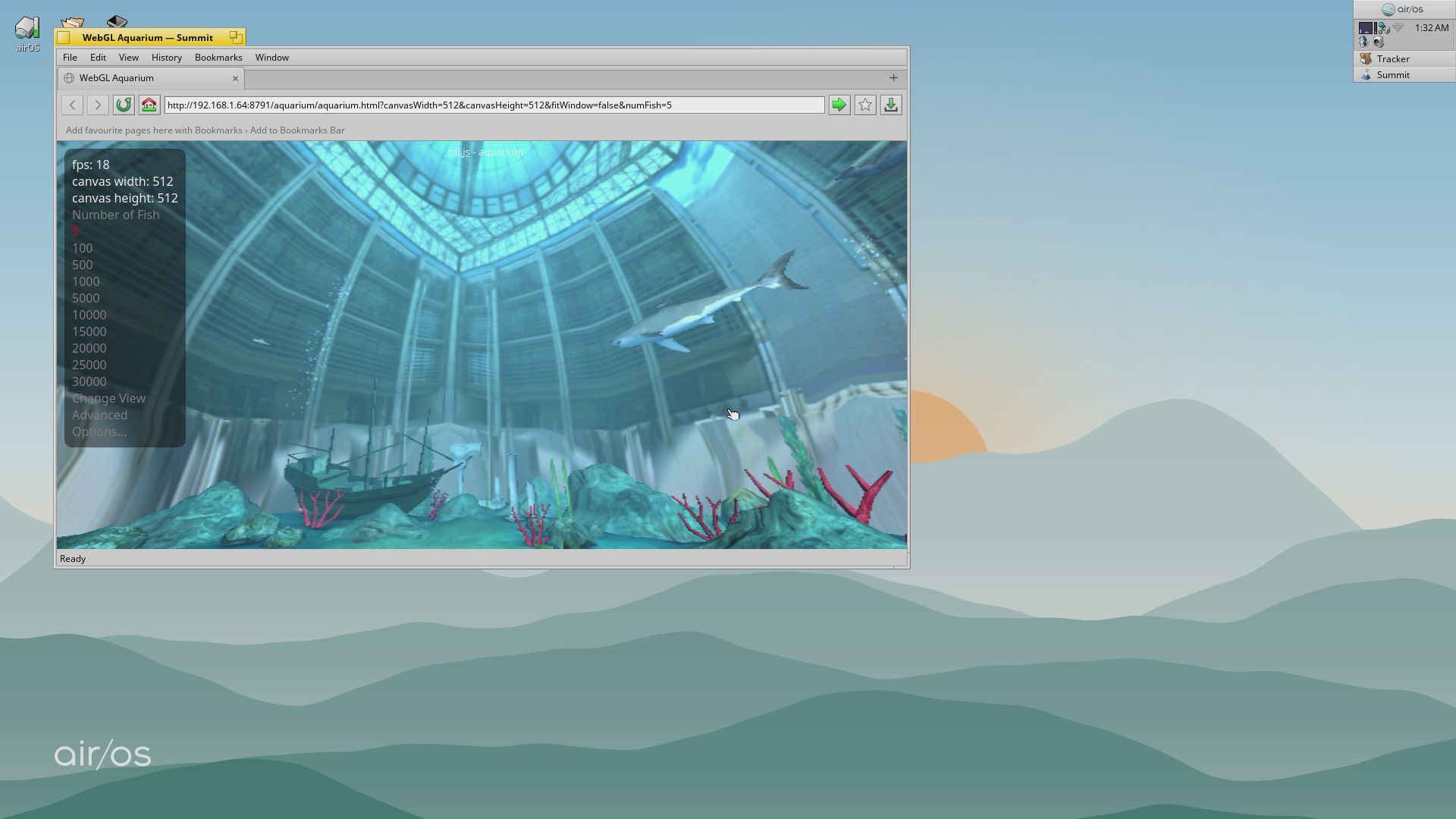
Cubie A7S · accelerated graphics: Summit running the WebGL Aquarium on the Cubie A7S. This five-fish lab capture is an illustration, not a general performance benchmark.
Cubie A7S · accelerated graphics · 2026-10-11 · Capture details →

Control over each site

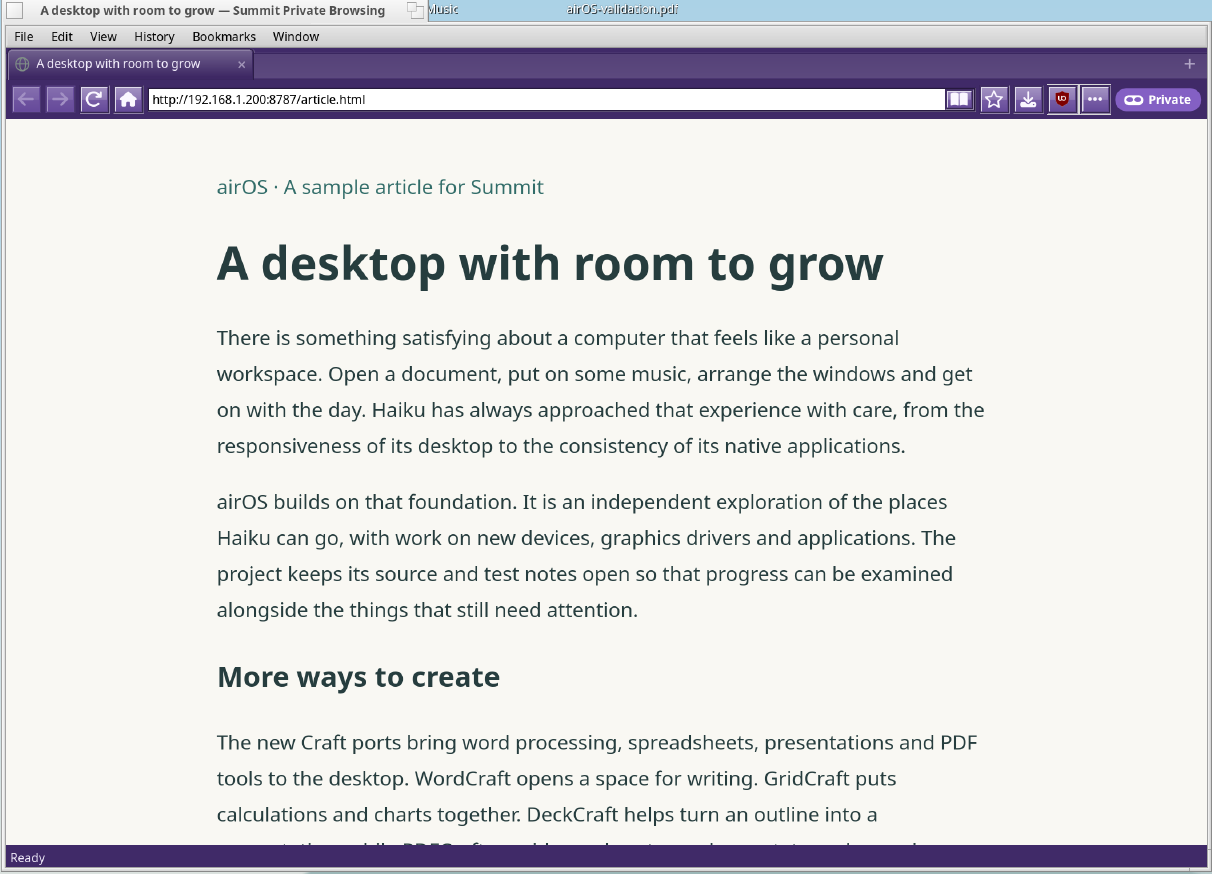
Private windows, browsing-data controls and native website permissions put common choices close to hand.

  • Certificate warnings and connection details
  • Origin-scoped permission prompts for device access
  • WebUSB and Web Bluetooth implementations; physical transfer/GATT coverage remains limited
Summit · private window: An original sample article in a private window, with the private-browsing indicator in the toolbar.
Summit · private window · 2026-10-18 · Capture details →

See what a page is doing

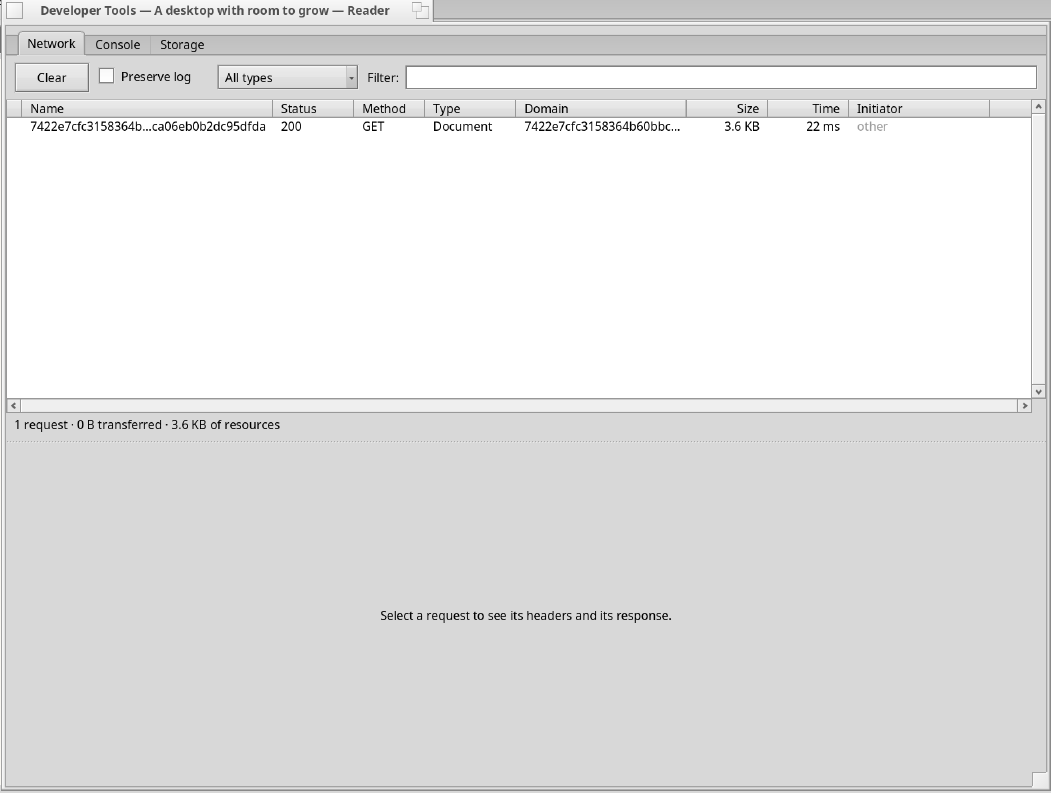
Inspect a page, read its JavaScript console and investigate network requests from native developer tools.

  • Page inspector, console and network request views
  • Optional built-in MCP server for local debugging tools
  • Inspect tabs, processes, memory, rendering, media and extensions; MCP is off by default
Summit · developer tools: The native Network inspector showing the request for the sample reader article.
Summit · developer tools · 2026-10-18 · Capture details →

Proton VPN and Proton Mail Bridge

Community ports

Native airOS ports of Proton’s VPN client and Mail Bridge, built from public forks. airOS CI builds each one on every push and publishes it as a rolling release with SHA-256 checksums.

Proton VPN

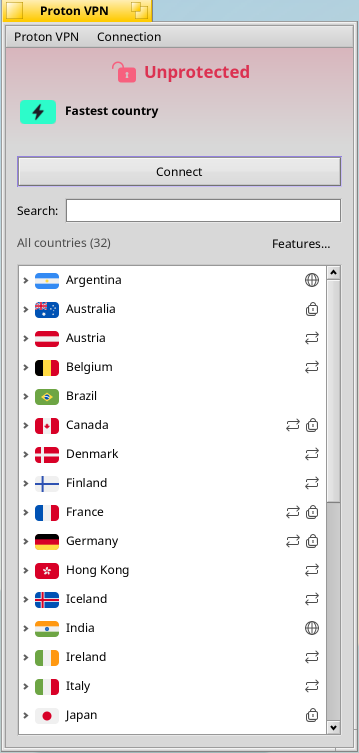
A port of Proton’s Linux VPN app with a native Haiku interface instead of GTK. Sign in with your Proton account, pick a server and connect over WireGuard or OpenVPN.

  • Sign in with two-factor codes; the session lives in the Haiku key store
  • Countries, cities and Secure Core routes with loads, P2P, Tor and smart-routing badges; search, fastest-server and pinned connections in the Deskbar tray
  • Built-in userspace WireGuard on Haiku’s tunnel driver, or OpenVPN over UDP or TCP
  • NetShield, VPN Accelerator, moderate NAT, port forwarding, kill switch, custom DNS and IPv6
  • x86-64 and ARM64 packages, plus a proton-vpn-cli command
Proton VPN: The CI-built Proton VPN package on the X399 workstation, signed in to the repository’s stand-in test API: the country list with feature badges, ready to connect.
Proton VPN · 2026-10-23 · Capture details →

Proton Mail Bridge

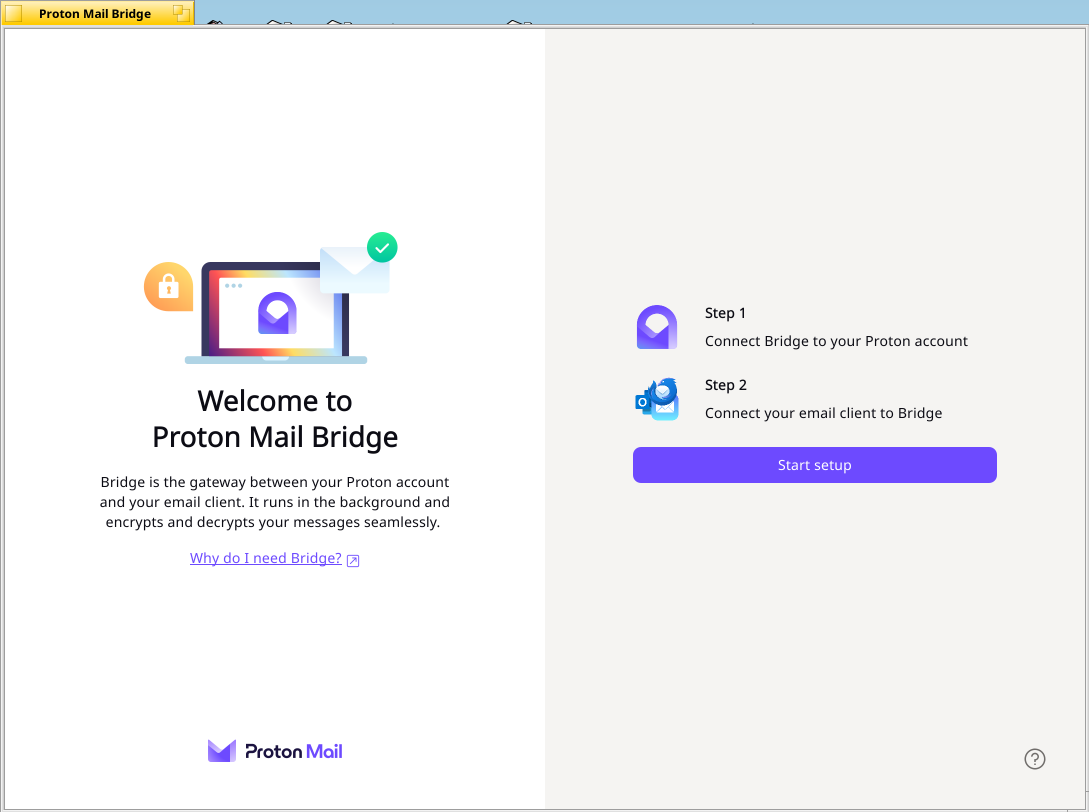
Proton’s Bridge runs in the background and lets desktop mail apps, including airOS Mail, use your Proton Mail account over local IMAP and SMTP.

  • The upstream Go mail engine, with its vault key in the native Haiku key store; it never falls back to an unprotected vault
  • Proton’s Qt Quick desktop app, drawn at the desktop’s density, with a single Deskbar tray item
  • Native settings and data folders, start at login and a proton-bridge command
  • Updates come through pkgman rather than Proton’s update feed
  • Included in x86-64 system images and published as its own package
Proton Mail Bridge: Bridge’s welcome screen on airOS, ready to connect a Proton account and an email client.
Proton Mail Bridge · 2026-10-23 · Capture details →

And the everyday favourites

Mail, clipboard and screenshots

A new Mail app, a clipboard history and a screenshot editor: small tools that are always within reach.

Mail

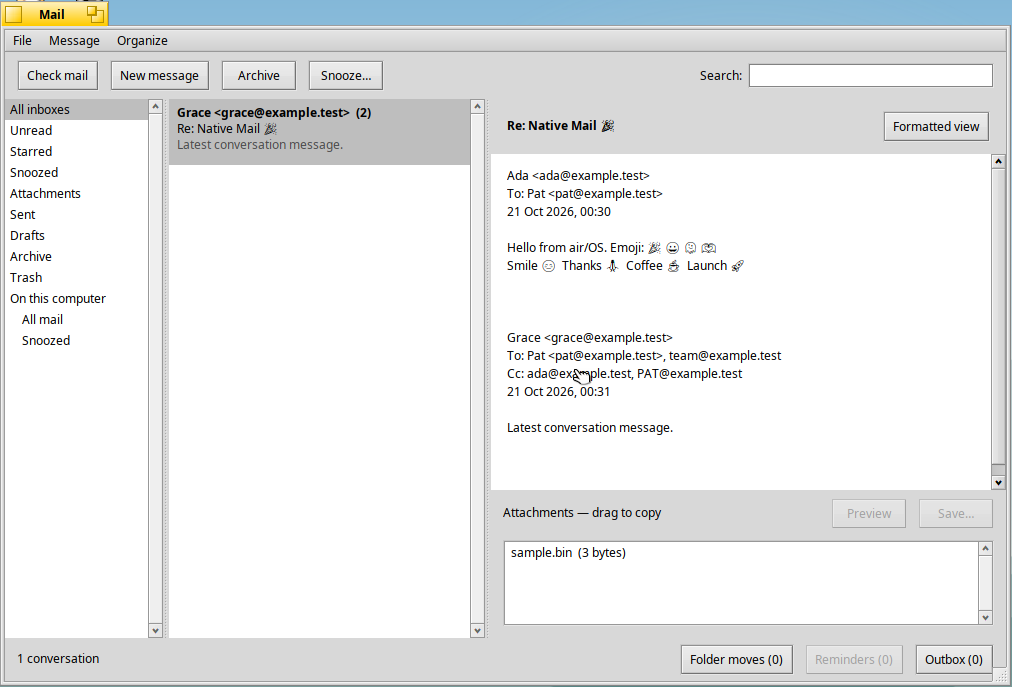
A new native email client replaces Haiku’s Mail in x86-64 images. It keeps its own SQLite store and shows conversations formatted by Summit’s WebKit engine.

  • IMAP, POP3/SMTP, Gmail and Proton Mail Bridge accounts in a unified inbox; passwords and tokens stay in the Haiku key store

  • Conversation threads, full-text search, rules, smart folders, tags and Gmail labels
  • Snooze with reminders, and a rich-text composer with inline images, drafts and an Outbox
  • Remote content and scripts are blocked in received HTML; links open in your browser
  • Development release: not yet tested against live Gmail or Proton accounts, and no IMAP IDLE yet
Mail: A test conversation with emoji and an attachment in the new Mail app, from its acceptance run.
Mail · 2026-10-23 · validation capture · Capture details →

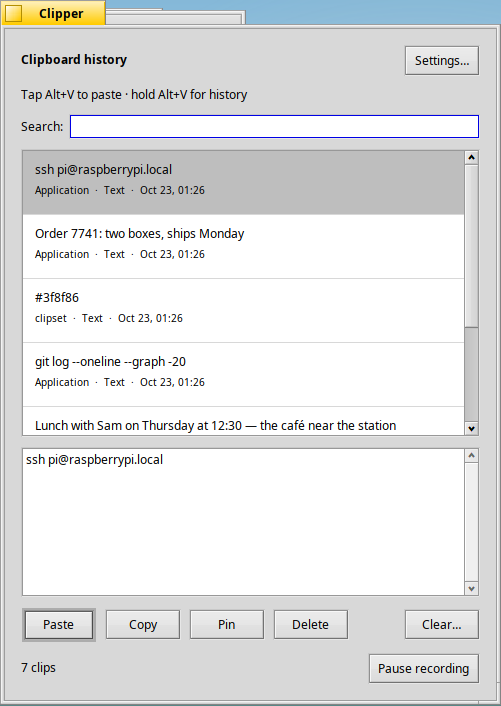
Clipper

A clipboard manager in the Deskbar that remembers what you copy in every app.

  • Tap Alt+V to paste; hold it, or press Shift+Alt+V, for a searchable history beside the cursor
  • Keeps every format: text, rich text, images and file references, with thumbnails
  • Pin clips, search a history of 10 to 1,000 items and pause recording
  • History is stored locally with owner-only permissions
Clipper: Clipper’s clipboard history with text clips from several apps, a preview and pin controls.
Clipper · 2026-10-23 · Capture details →

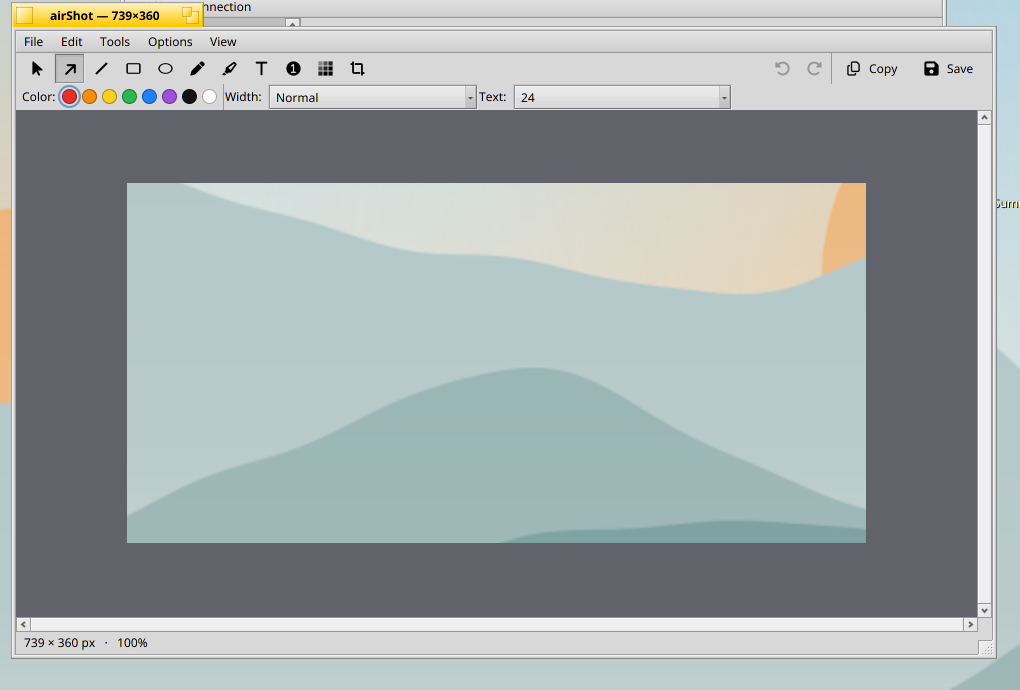
AirShot

Capture a screen, window or region, mark it up, then save or copy it.

  • Full-screen, window and region captures on Print Screen shortcuts
  • Arrows, shapes, pen, highlighter, text, numbered markers, blur and crop, with undo
  • Keeps every pixel on scaled displays, with an option for 100%
  • Save a time-stamped PNG or copy to the clipboard; also opens existing images for markup
AirShot: The capture editor, with drawing tools, colours, crop and clipboard export.
AirShot · Earlier development capture · Capture details →

Features and port notes reviewed 2026-10-23. See each project’s source for current limitations.